Predictive AI
Two kinds of AI, doing two different jobs.
Most field-service software automates what you tell it to. ServicePros Hub also predicts — which quote to chase first, which overdue invoice is at risk, which estimate visit might no-show — and shows you the score and the reason. Here's exactly how it works, and a live demo you can run on your own numbers.
The AI engine
Generative + Predictive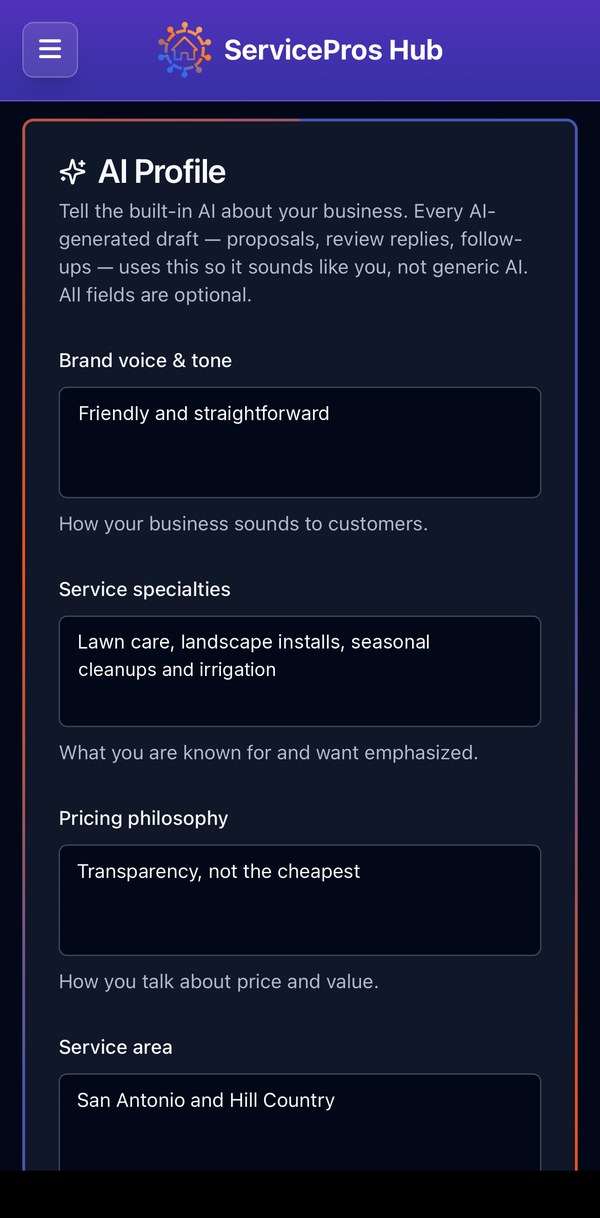
← Generative — OpenAI and Claude →
Writes in the owner's voice
An AI Profile teaches it the brand voice, specialties and pricing stance, so drafts of proposals, review replies and follow-ups sound like the owner — not generic AI.
← Predictive — TypeSafe →
Decides, with a confidence score
A judgment engine returns a prediction with a confidence level. Every prediction is logged and checked against what actually happened — accepted, paid, showed up — so we can see how accurate it is.
// It watches for these, before they happen
How a prediction is made
No black boxGather the signals
For each open quote, overdue invoice or upcoming estimate, the app pulls the facts that matter: how long it's been, the dollar amount, that customer's own history with you, and what they've texted since.
Ask one plain-English question
All the items go to TypeSafe side by side, with one question each — "How likely is this customer to accept if we follow up now?" — and five written levels from very unlikely to very likely. The levels are English sentences, not tuning knobs.
Get a score and a confidence
The answer comes back as a level plus a confidence. The level becomes a 0–100% score, and the score picks the label you see: Good chance to close Worth a nudge Long shot.
Check it against reality
Every prediction is stored. When the quote is accepted (or 45 days pass), the invoice is paid (or goes 30 days delinquent), or the customer shows up, the outcome is written next to the prediction. That accuracy record is how the thresholds get tuned.
Suggestions are assistive. The app never sends a follow-up, a reminder or a reschedule on its own — it ranks and drafts; you review and send.
What it predicts, and from what
Signals · Labels · ThresholdsWhich proposals to chase first
Runs on
Every quote that's been sent, not accepted, and is at least 7 days old. Up to 25 per morning.
Signals
- Days since the quote was sent
- Quote total and what it's for
- Homeowner or business
- Past accepted quotes from this customer
- Completed jobs for this customer
- The last three texts they sent since the quote
Labels
Where you see it
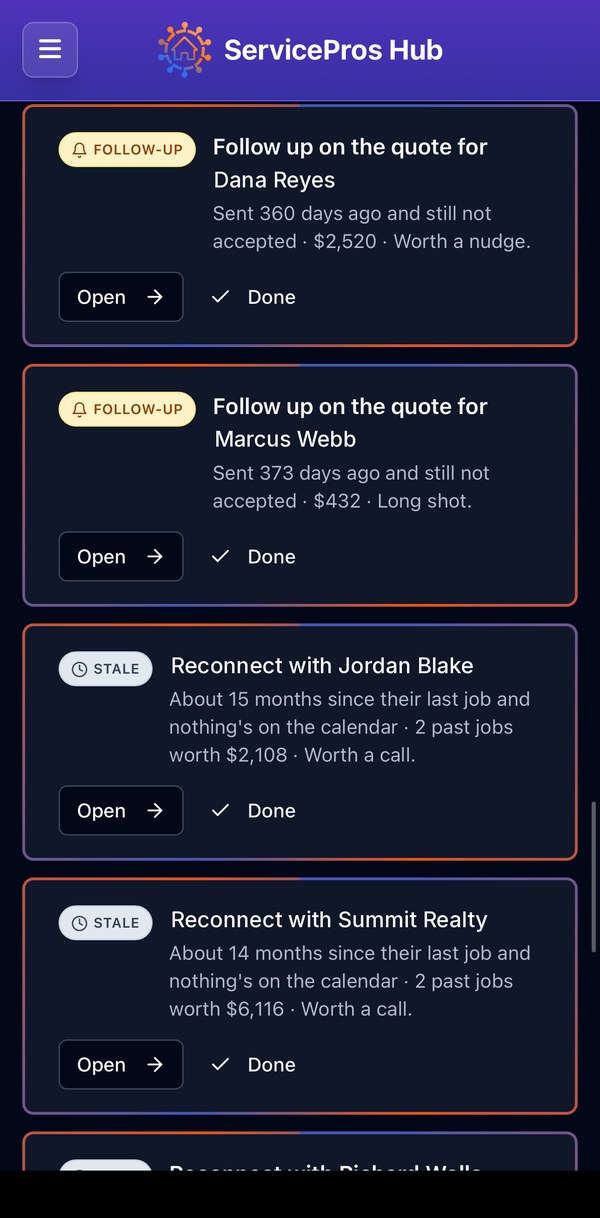
Daily Brief → Follow-up cards, ranked. "Sent 12 days ago and still not accepted · $2,520 · Worth a nudge." Anything under 30% drops to normal priority so it doesn't crowd out the real chances.
Which overdue invoices are at risk
Runs on
Invoices that are past their due date and still unpaid. It ranks what's already late — it does not guess about invoices that aren't due yet.
Signals
- Amount and days past due
- Reminders already sent
- How many invoices this customer has paid before
- Their average days-to-pay and past late payments
- What they've texted since the invoice — and what it meant ("check's in the mail" vs. "this is wrong")
Labels
It also sets the tone
At 60% risk or higher the automatic reminder switches from friendly to firm. Below that, it stays polite — a reliable customer who's a week late doesn't get a collections letter.
Which estimate visits might ghost you
Runs on
Estimate appointments scheduled in the next two days.
Signals
- First-time customer or repeat
- How far ahead it was booked, and hours until the visit
- Whether a confirmation text went out
- Whether the customer replied since booking — and what they said
- Whether an arrival window was given
- Address on file
Threshold
Where you see it
A high-priority Daily Brief item — "Reconfirm tomorrow's estimate with Jordan — booked 9 days ago, no confirmation reply" — with a one-tap text so your estimator doesn't drive to an empty driveway.
Catalog and job-status normalization
Catalog normalization
Imported and hand-typed jobs pile up as "mow", "Mowing – front", "lawn cut". Exact matches are fixed by rule; anything fuzzy goes to TypeSafe, which picks the matching service from your catalog — or says no match.
Job-status normalization
Consistency checks catch jobs stuck in the wrong state — a paid invoice on a job still marked scheduled, an in-progress job a day past its end time — and feed the same review queue. Sure things (a paid invoice) apply on their own; the rest wait for a click.
Both run on demand
Reports → Run cleanup. 150 jobs per pass. Nothing is renamed behind your back.
Try it on your own numbers
Live · Same engine as the appType in a few open quotes or overdue invoices — real ones or made up — and the same TypeSafe question the app asks every morning ranks them. Nothing you enter is saved.
Ranked
In the app, the customer-history and text-message signals are filled in automatically from your records — you never type them. The demo asks for them so you can see what moves the score.
Why this is different
Prediction vs. automation| Automation (rules) | Predictive AI (ServicePros Hub) | |
|---|---|---|
| Old quote | "Send a reminder after 7 days" — to everyone | Ranks the 7-day-old quotes by who's actually likely to say yes, so you spend the call on the right one |
| Late invoice | Reminder #1, #2, #3 on a fixed schedule | Same reminders — but the tone turns firm only when the risk is real, and the at-risk ones surface for a call |
| Estimate tomorrow | Confirmation text to everyone | Flags the one visit that looks like a no-show — booked weeks ago, never replied — before the truck rolls |
| Messy catalog | Find & replace | Maps fuzzy job titles to your catalog with a confidence, applies the sure ones, asks about the rest |
| Being wrong | Nobody knows | Every prediction is checked against the real outcome and the record is kept |
Questions
How the AI worksWhat is TypeSafe?
TypeSafe is a hosted judgment engine: you give it a situation described in plain JSON and a question with written answer levels, and it returns the level it picks, the probability of each level, and a confidence. ServicePros Hub uses it for the decisions that need a score — likelihood, risk, best match — and uses OpenAI and Claude for writing. We don't train models on your data.
Does it read my customers' data to learn?
Predictions are made per company from your own records — your quotes, invoices, jobs and the texts customers send you. Nothing is shared across companies, and nothing you enter in the demo on this page is stored.
What does the confidence score mean?
It's how sure the engine is about the level it picked. A "Worth a nudge" at 90% confidence and a "Worth a nudge" at 55% confidence are shown the same way in the Daily Brief, but the confidence is logged, and for catalog cleanup it decides whether a change applies automatically (75%+) or waits for you.
How accurate is it?
Every prediction is written to a log with the outcome that followed — accepted / not accepted after 45 days, paid / 30+ days delinquent, showed / cancelled. That record is what we use to tune the thresholds above. We'd rather show you a real accuracy number from your own account than a marketing figure.
Will it send anything without me?
No. Predictive AI ranks and drafts. Follow-ups, payment reminders and reschedule changes are reviewed by you before they go out. The automatic reminder drip you already control just picks a friendlier or firmer wording based on the risk score.
What happens if the engine is down?
The app keeps working the way it did before predictive AI existed: the same follow-up items appear, just in date order instead of ranked, reminders use the friendly tone, and cleanup uses exact-match rules only. Nothing breaks; you lose the ranking until it's back.
Is this included in the $33/month plan?
Yes. There's one plan, and predictive AI is part of it — no AI add-on, no per-prediction fees, up to 10 users.
Can I turn it off?
You can leave any Daily Brief item unhandled, dismiss it, or run cleanup only when you choose to — it never runs on its own. If you want the Daily Brief off entirely, tell us and we'll switch it off for your company.
Stop guessing which call to make first.
Predictive AI is built in — one flat price, everything included.
Start your 30-day free trial →